Game Cities — The Fallen World
A zombie action RPG on real city streets
Opens game-cities.gamestoplay.net in English
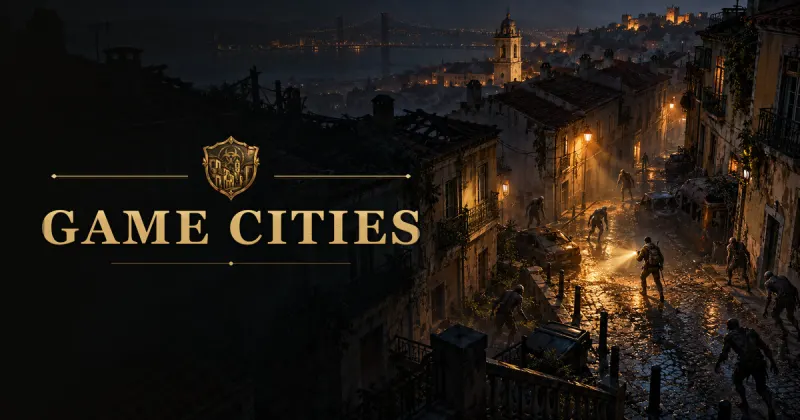
Most zombie games invent their cities. Game Cities borrows yours. It is a free action RPG that runs in the browser and builds its levels from real map data, so the street you parachute onto has the same corners, squares and bridges you would find on a map of that place — only now the dead are walking it.
What makes it stand out is the mix of two things that rarely meet in a browser game: the loot-and-level loop of an action RPG, with weapon rarities, legendary powers and skills that grow as you use them, and slow, tense survival, in which stamina, sleep, noise and darkness matter as much as damage numbers. The game is in active development, gets updates almost every day and can be played in English, Portuguese and Spanish.
Full disclosure: Game Cities is made by the same team that runs GamesToPlay.
Highlights
- The whole planet is the map. Choose a destination on the globe — your hometown or a capital you have never visited — and the game builds it from OpenStreetMap streets and photorealistic 3D buildings and terrain.
- Three kinds of undead, plus champions. Slow Wanderers that overwhelm you in groups, Runners that sprint once they spot you and Spitters that attack with acid from a distance. Orange-eyed champions hit harder and always drop a better item.
- Melee, firearms or bare fists. Knives, machetes, bats, axes, katanas, pistols, shotguns and rifles each have their own reach, speed and noise. With nothing in your hands you fight with punches and kicks.
- Survival that pushes back. Running, striking and rolling drain stamina, your survivor gets sleepy and needs a bed, gunshots draw every zombie within earshot and the flashlight helps you aim but gives you away.
- Buildings you can enter. Many houses and shops have floors, stairs and furniture to search for food, ammo and the books that train your nine skills. Parked cars can be driven, with fuel and wear.
- A safe base and other survivors. Every run starts at Base Romu's, a platform at sea with shops and people to talk to. With a free account, other players appear in real time, with chat, friends and kill rankings by neighborhood, city, country and continent.
How to play Game Cities
Your first session takes only a couple of minutes to get going. This is the path we recommend:
- Press Play. The game opens on its own address and loads in the browser — there is nothing to download or install.
- Create a survivor. Choose the body, hair and clothes. You can play without an account, with progress saved in your browser, or sign up for free to keep it on the server and play with others.
- Gear up at Base Romu's. Talk to the vendors, buy a melee weapon and some food with your starting gold, and get used to the controls where no zombie can reach you.
- Choose a city on the globe. Travel by cargo plane or fly the helicopter yourself, jump, steer the parachute and land on the street you picked.
- Survive and level up. Fight with your melee weapon to save ammo, search buildings, eat and sleep when you need to, and bring back jewelry and scrap metal to turn into gold.
Controls
On a computer the game uses the mouse and keyboard. On phones and tablets it switches to an on-screen joystick and buttons, in full screen and landscape.
- Move: WASD or left click to walk; hold Shift to run.
- Fight: left click strikes with the melee weapon; right click fires the firearm (hold it with automatic weapons); R reloads; 1 rolls out of the way.
- Extras: 2 throws a Molotov cocktail, 3 a grenade and 4 uses adrenaline.
- Stay alive: Q uses a medkit, T eats or drinks whatever helps most, V crouches for stealth and F switches the flashlight.
- Interact: E picks up items, opens doors and furniture and talks to people; I opens the inventory, K the skills and books, M the local map and G the world globe.
- Touch screens: joystick on the left, action buttons on the right. On iPhone, add the game to the Home Screen to play without the browser bars.
Tips for your first hours
- Noise is the real enemy. Every firearm has a noise radius, and everything inside it comes for you. Clear quiet streets with melee and keep bullets for emergencies.
- Aim for the head. Headshots end fights much faster, which also means less noise and less ammo spent.
- Watch the stamina orb. If it runs dry mid-fight you can only walk until you catch your breath, so back off before it empties, not after.
- Use buildings as safe rooms. Zombies outside cannot reach you indoors, and a closed door muffles sound — the right place to heal, eat or sleep.
- Fight champions on your terms. Orange eyes mean a tougher enemy and a guaranteed magic-or-better drop. Take them on with full health and room to retreat.
- Dying is not the end. You come back at the start or near where you fell and lose 10% of your gold; your gear and skills stay with you.
Requirements
Game Cities needs a recent browser with WebGL 2 — current versions of Chrome, Edge, Firefox and Safari all work — and an internet connection, because each city is loaded as you explore it. A computer with a recent graphics chip gives the smoothest experience; on phones, mid-range and newer devices handle it well in landscape. If the game feels slow, check that hardware acceleration is turned on in your browser and close other heavy tabs.
Who it is for
Game Cities has zombie combat with melee weapons and firearms and is meant for teenagers and adults (13+). The optional free account adds text chat with other players. The game also has safe zones: Base Romu's and the Casino Estoril, whose poker, blackjack and slot machine tables are simulations played only with chips bought with in-game gold. There is no real-money betting, and nothing in the game is sold for or can be exchanged for real money.
Latest updates
Game Cities changes almost every day. These are recent updates worth knowing about:
More realistic survivors, and buildings everywhere
Character creation got new realistic models, and cities without Google's 3D buildings now show buildings from open map data instead of empty streets.
Photorealistic 3D in every city
The world always uses Google's photorealistic 3D. If the service fails, the game falls back to open map data and brings the 3D back by itself.
Unarmed combat
Without a melee weapon, survivors fight with punches, kicks and knee strikes, each with its own reach, damage and knockback.
Plane or helicopter
From Base Romu's you can ride the C-390 cargo plane or fly the SH-60B Seahawk helicopter yourself, and then parachute into the city.
Guide and news
Game Cities has a detailed guide of its own, with tables taken straight from the game data — every zombie type with its health and speed, every weapon with its damage, reach and noise, foods, skills and legendary powers — and a news page with what changes in each version.
Frequently asked questions
Is Game Cities free?
Yes. It is free to play and supported by ads. Gold, chips and items exist only inside the game and are never sold for real money.
Do I need to download anything?
No. It runs in the browser on computers, phones and tablets. On iPhone you can add it to the Home Screen so it opens like an app.
Can I play without an account?
Yes. Without an account, your progress is saved in your browser. An internet connection is still needed to load the cities. A free account keeps your progress on the server and lets you play with other people.
Can I really play in my own city?
Yes — anywhere on the globe. Streets and names come from OpenStreetMap, and buildings and terrain from Google's photorealistic 3D; where Google has no 3D buildings yet, the game builds them from open map data.
Is it multiplayer?
With a free account, other survivors in the same area of the map appear in real time, with text chat, a friends list and rankings. You can also play entirely on your own.
Which languages does it support?
English, Portuguese and Spanish. The Play button on this page opens the game in the language you are reading.
Opens game-cities.gamestoplay.net in English